Your Mac and your NAS, side by side
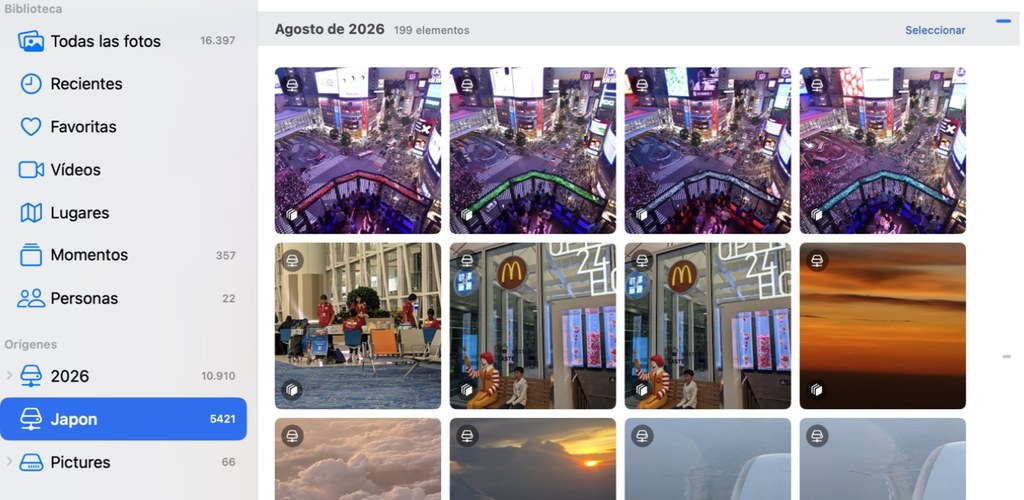
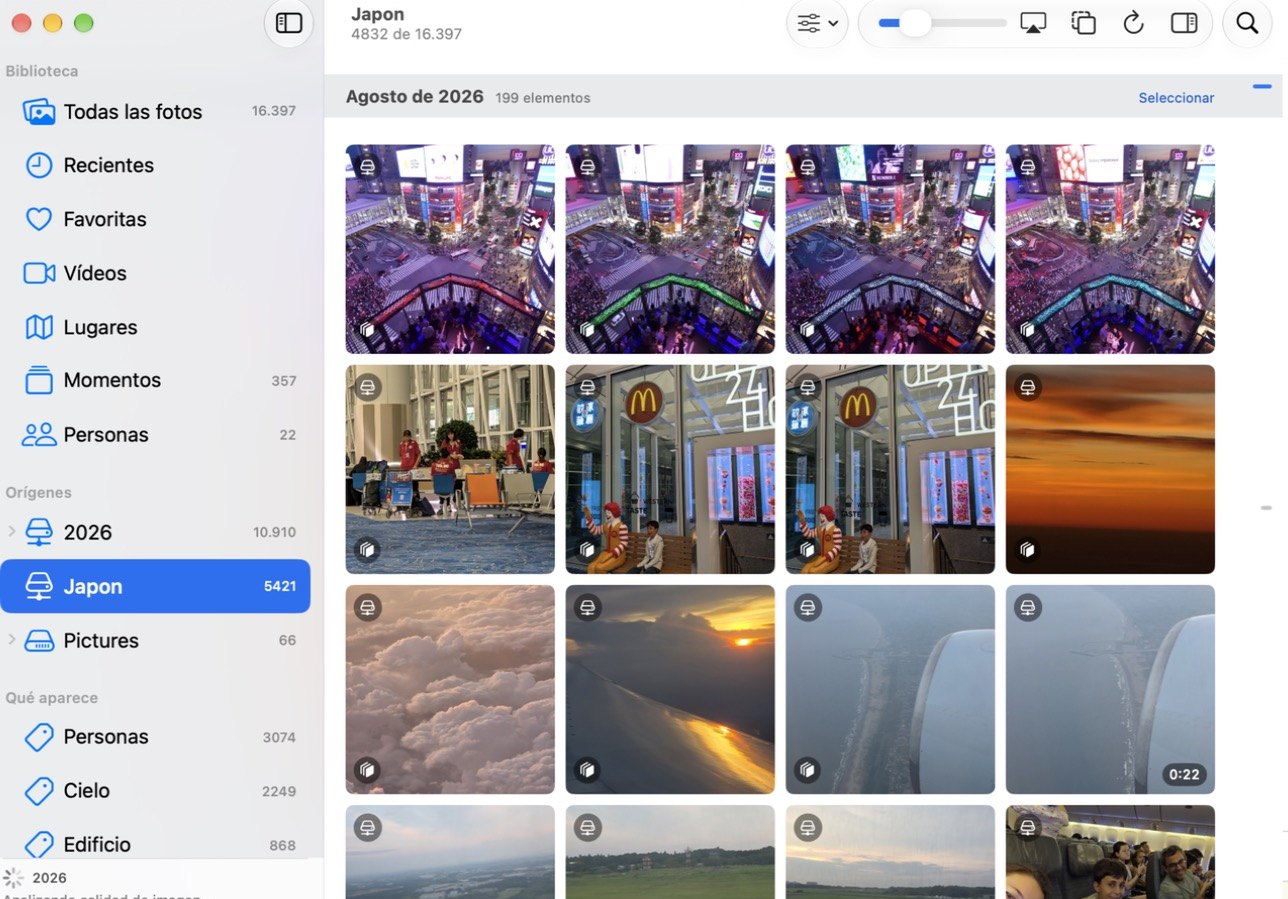
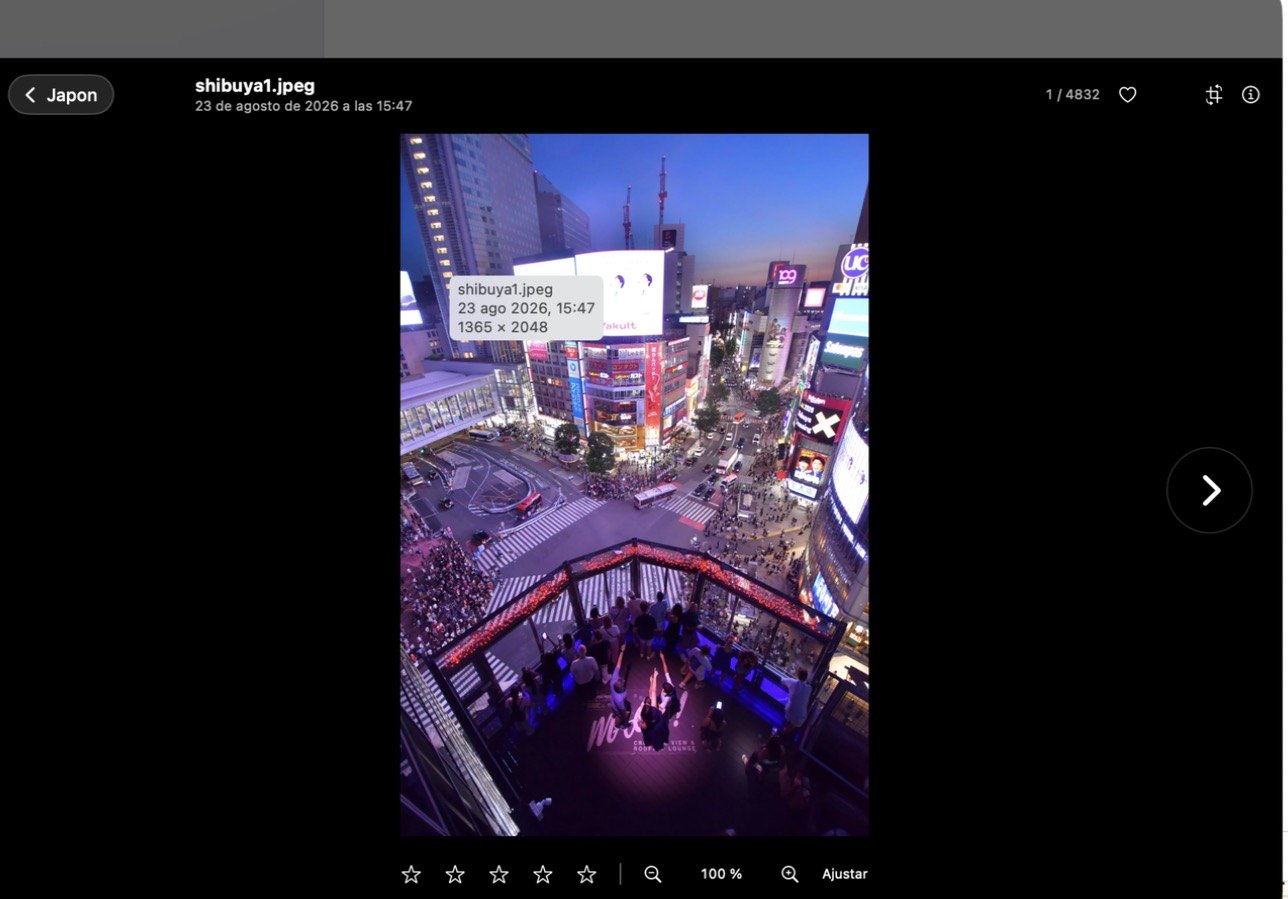
Local folders and Synology folders in the same grid, sorted by date. It doesn’t matter where a photo lives: you search once and it shows up.
SynoSnap is a Mac app that brings the photos on your computer and the ones on your Synology NAS into a single library. You see them together, search them together and sort them together — without moving a single file, and without needing the NAS to be awake just to look at them.
In preparationFor Mac · Mac App Store · €29 · one-time · macOS 14 or later
What it does
What’s on your Mac and what’s on your NAS, in the same grid.
Local folders and Synology folders in the same grid, sorted by date. It doesn’t matter where a photo lives: you search once and it shows up.
Away from home the NAS stops answering, and that’s where most apps fall apart. SynoSnap keeps your thumbnails and everything you’ve already seen: the library stays whole, flagged as offline, and restores itself when you reconnect.
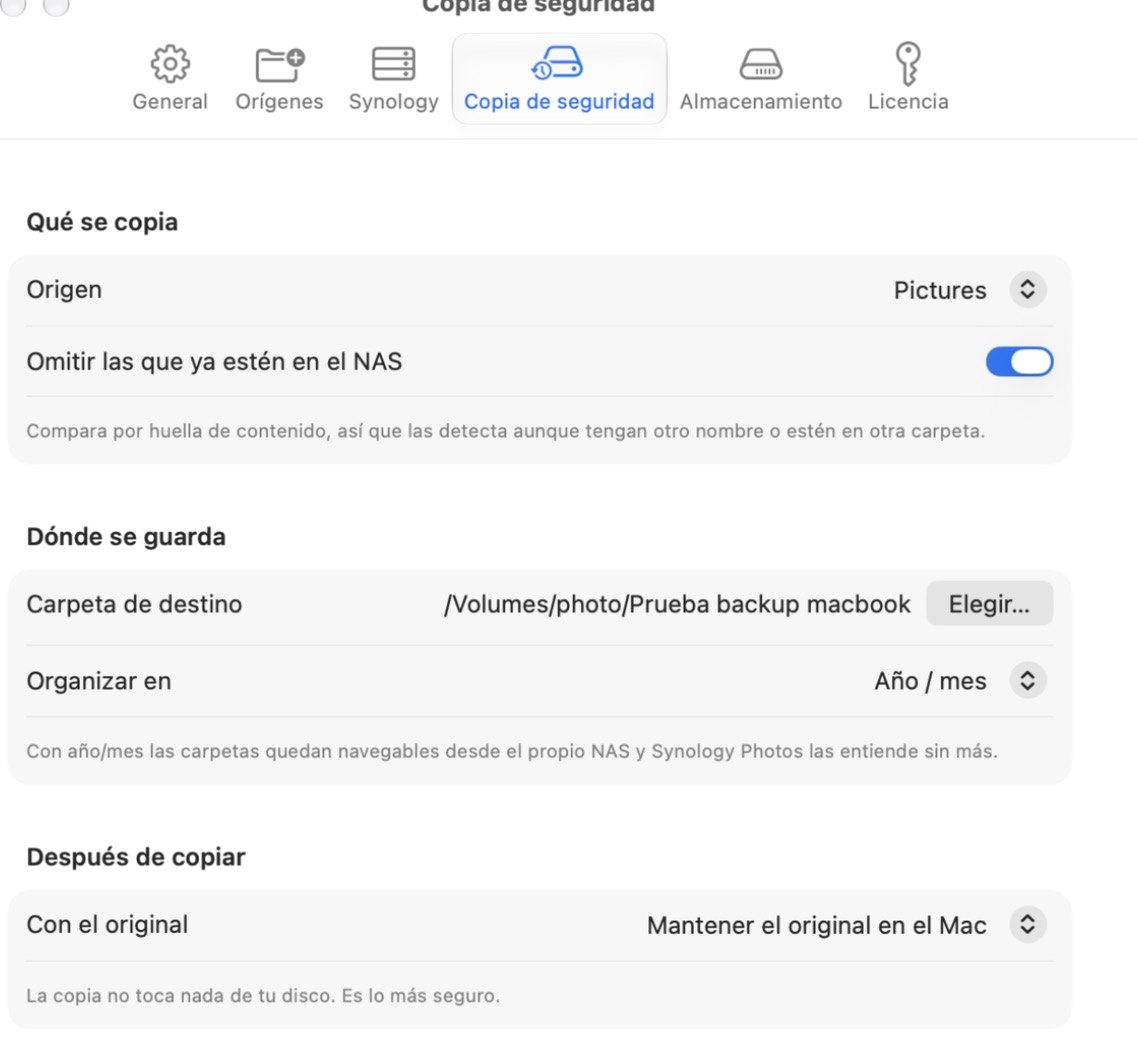
New photos on the Mac get copied to the NAS folder you choose, organised by year and month. Every copy is checked byte for byte before anything is called done — and only then can it free up the space on your Mac.
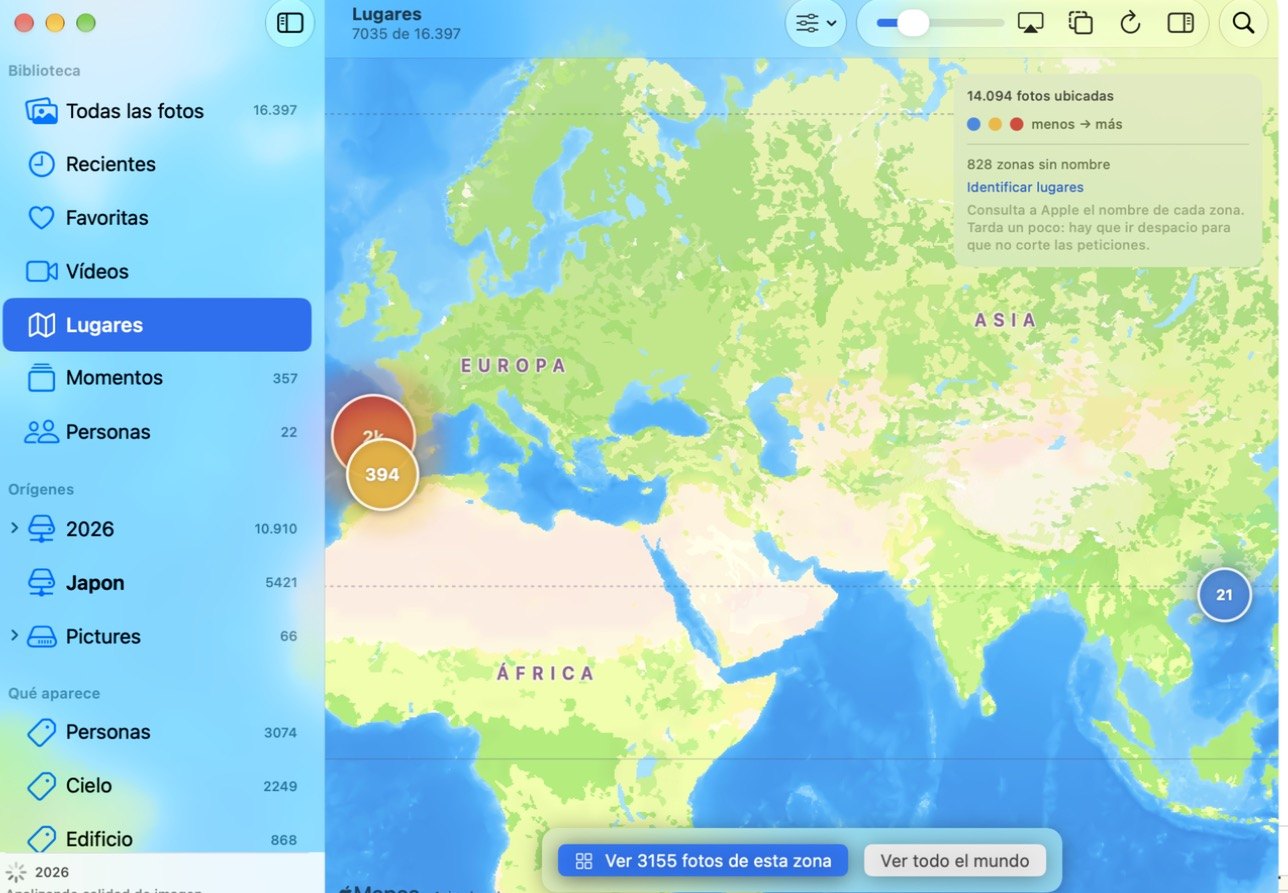
Every GPS-tagged photo on a world map with a heat layer. Zoom into an area, select it, see what you did there. Places show their names, not coordinates.
Groups recurring faces so you can name them, and recognises what’s in the shot: beach, food, snow, dog. All the analysis happens on your computer; nothing is uploaded anywhere.
Groups only the photos from one stretch of time and place, and folds a twenty-shot burst into one, keeping the sharpest frame.
Cast to the television in the living room, over DLNA or a second screen, with an automatic slideshow.
Finds both identical files and visually identical photos sitting under another name or in another folder.
Screenshots
The app’s screens and its main features. Swipe to see them all.
Who it’s for es
Price and download
One-time purchase, no subscription. Apple’s listing will show the final price and availability.
29 €
One-time payment. No subscription.
Leave us your email and we’ll write when it’s released. Nothing else.
Frequently asked questions
What it touches, how it connects to the NAS and what happens away from home.
No, unless you ask it to. SynoSnap indexes: it reads where each photo lives and shows it. The only thing that copies files is the backup to the NAS, and only once you’ve set it up and pressed the button.
Two ways, whichever you prefer: mount the NAS folder in Finder over SMB, or connect to the Synology Photos API with your account. The password goes into the macOS Keychain, not into a file.
Yes. With the NAS out of reach you keep the library, the thumbnails and your local photos. Anything that can’t be opened is flagged, and it restores itself when you get home.
SynoSnap does not upload your photos. If you use place names, Apple’s services receive GPS coordinates to return location names; images are not sent.
No. If you prefer, just mount the NAS folder in Finder and add it as a source.
You can redownload the app from the Mac App Store using the Apple Account that bought it, subject to Apple’s terms.
In Spanish, English, French and German. You can pick the language inside the app, under Settings.
A Mac on macOS 14 or later and, for the NAS half, a Synology reachable on your network.
SynoSnap · Coming soon to the Mac App Store
The listing and download link will appear after Apple approves the app.
